
 Edit online
00:07
Live preview, the checkerboard is transparent in your download
Make it yours
Edit online
Style
Accent
Font
Sans serif
Condensed
Display
Serif
Script
Handwriting
Monospace
Your video is ready
A transparent .mov and a green screen .mp4 in one zip, kept for 24 hours.
The green screen .mp4 for CapCut, Alight Motion and other apps: use Chroma key to remove the green. Kept for 24 hours.
Also make it:
Show it to other creators in #showcase on our Discord
Something went wrong
Stacked Boxes Lower Third
Free lower thirds template for After Effects, Filmora, Premiere Pro, Final Cut Pro, DaVinci Resolve, CapCut and Alight Motion
About this template
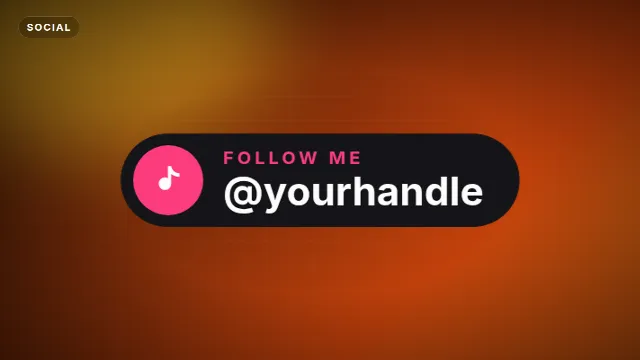
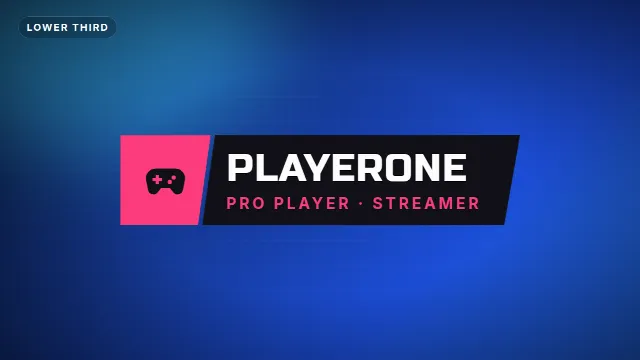
Two skewed boxes slide in with your name and title, bold news style.
A ready-to-use video: no After Effects, no template skills. Add your text, colors and font right here, download it and drop it on your clip.
Works in every editor: a transparent .mov for Premiere Pro, DaVinci Resolve, Final Cut Pro and After Effects, and a green screen .mp4 for CapCut, Alight Motion, KineMaster and other phone apps (use Chroma key). 16:9, 9:16 for Shorts, TikTok and Reels and 1:1, 6 seconds.
Free for personal and commercial use in your videos. Not for redistribution or resale of the files themselves.
Questions
Is the Stacked Boxes Lower Third free?
Yes. Videos are free with a free account, and your first video every month has no watermark. You can use it in personal and commercial videos.
Which apps can I use it in?
Every video editor. The download has a transparent .mov for Premiere Pro, DaVinci Resolve, Final Cut Pro and After Effects, and a green screen .mp4 for CapCut, Alight Motion, KineMaster and other phone apps (use chroma key).
Which sizes can I make?
16:9 for YouTube, 9:16 for TikTok, Shorts and Reels and 1:1 for Instagram posts.
Do I need After Effects?
No. You type your text, pick colors and a font in the browser and download a finished video, no software or plugins needed.
More lower thirds templates. Also made for After Effects.
View all
Edit online
00:07
 03:55
Free Lower Thirds For DaVinci Resolve Macros
 05:15
Free Titles For DaVinci Resolve Macros
 00:46
FREE TEMPLATE AFTER EFFECTS | TITLES COMIC
 Edit online
00:06
Gaming Lower Third
Velosofy
552
 00:51
Subscribe Intro, Like share and comment green screen | No copyright
IT Tech OFFICIAL
3.8K
 04:06
Free Titles Template For DaVinci Resolve Macros
 00:42
FREE TEMPLATE AFTER EFFECTS | VIDEOGAME CONTROLS
Explore more. Related templates on Velosofy.
All free lower thirds templates
Names, titles and captions
After Effects lower thirds templates
Free lower thirds made with After Effects
All After Effects templates
1,068 free templates
Filmora lower thirds templates
Free lower thirds made with Filmora
All Filmora templates
123 free templates
Premiere Pro lower thirds templates
Free lower thirds made with Premiere Pro
All Premiere Pro templates
156 free templates
Final Cut Pro lower thirds templates
Free lower thirds made with Final Cut Pro
All Final Cut Pro templates
122 free templates