Edit online
Make it in your browser, free
Type your text, download the video. No app needed.
On this page · 6 sections
Avee Player templates are the most searched templates on Velosofy, and it is easy to see why: one
.viz file turns a song into a music video with a spectrum that jumps to the beat, your logo in the
middle and a background that shakes on the bass. There are thousands of them, so this guide helps you find the right
one. It shows the main styles (phonk, bass boosted, trap,
NCS and more), what to look at before you download, and where to go next. No Android phone? The end
of the guide shows how to make a visualizer in the browser.
Where to find them
All free templates for the app are on the Avee Player templates page, newest and most downloaded first, each with a preview video. To narrow it down, open a style below: every link shows only Avee Player templates in that style.
Most downloaded Avee Player templates


The styles, and which songs they fit
Phonk
Dark and aggressive: black and deep red, a spectrum that punches on every kick, night streets, drift cars or anime artwork, and a bold condensed title. Made for drift phonk, car edits and gym edits. Browse phonk Avee Player templates, and read the phonk visualizer guide for the look and how to match the tempo.
Phonk templates for Avee Player



Bass boosted
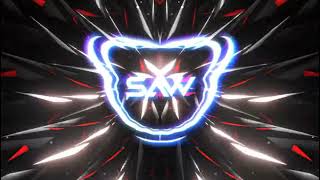
Built for songs where the low end is the point: the logo or the whole background jumps on the bass, often with a shaking camera and a thick spectrum at the bottom of the screen. Pick one with a strong bass reaction and test it with your loudest track. See bass boosted Avee Player templates.
Trap and Trap Nation style
The most common style in the app: a round logo in the center, a layered, mostly white circular spectrum, a photo background that zooms on the bass and dust particles floating by. Heavier than NCS, cleaner than phonk. Find them under trap Avee Player templates.
Trap templates for Avee Player


NCS style
Bright and clean: one vivid color per video (cyan, magenta, orange), a smooth circle around a round logo, a blurred photo or gradient behind it and soft particles. Fits every kind of electronic music, from house to dubstep. Browse NCS style Avee Player templates.
DJ, anime, glitch and love
A few smaller styles with their own following: DJ templates with turntables and equalizer bars for mixes, anime templates with a character in the center, glitch templates with RGB splits on the beat, and love templates with soft pinks and hearts for slow songs and dedications.
Side by side
| Style | Looks like | Best for |
|---|---|---|
| Phonk | Black and red, hard hitting, grainy | Drift phonk, car and gym edits |
| Bass boosted | Everything jumps on the bass | Bass boosted songs, car audio |
| Trap | White layered circle over a photo | Trap, hip hop, remixes |
| NCS style | One bright color, smooth circle | EDM, house, dubstep |
| DJ | Turntables, equalizer bars | DJ mixes and sets |
| Love | Soft colors, hearts | Slow songs, dedications |
How to pick a good template
- Watch the preview with sound. Does the spectrum react to the bass, or only to the high notes? For phonk, trap and bass boosted you want a hard reaction on the kick.
- Check the shape. Most templates are 16:9 for YouTube. For TikTok or Shorts, look for a vertical one, or one with the logo centered so you can crop it.
- Look at the center. A round logo spot fits a cover or a profile picture. A wide text area fits a song title.
- Read the description. It often says which images come with the template and which font the maker used.
- Mind your phone. Templates with many particles and effects can stutter while editing on an older phone. The export is still smooth, but a simpler template is easier to work with.
- Keep one look. Using the same template with a different cover per song makes your uploads recognizable.
Import it and make it yours
- Download the template and extract the zip if there is one. Keep the images that come with it.
- Import the .viz file in Avee Player, see how to import Avee Player templates.
- Swap the logo and background for your own cover art and a matching photo.
- Change the text to your song title and artist, if the template has a text element.
- Export in 1080p at 30 or 60 fps. The settings and how to keep the file sharp are in the Avee Player visualizer guide.
Then make a thumbnail from a frame of the video, with the cover large, see YouTube banner and thumbnail sizes. Made a template you are proud of? Share it on Velosofy.
No Avee Player? Make a visualizer in your browser
Circle Spectrum Visualizer
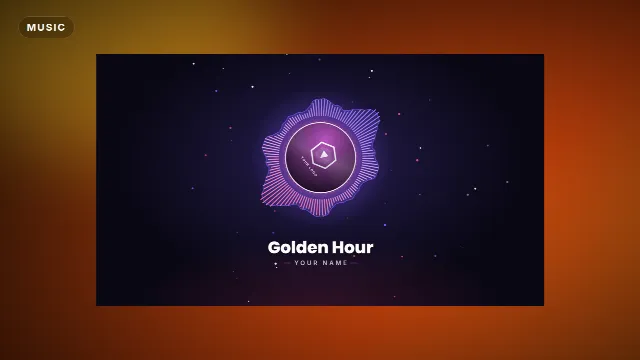
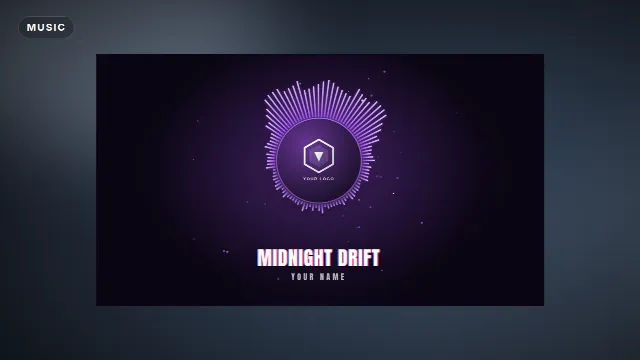
Avee Player only runs on Android. On an iPhone or a computer, the Circle Spectrum Visualizer gives you the Avee Player look in the browser: gradient bars and a soft wave dance around your turning cover art, the bass glow pulses on every kick, particles fly outward, and your song and artist sit below. It does not listen to audio, it moves to a built-in beat at 96, 112, 128 or 144 BPM, so pick the tempo closest to your track. Upload your cover, type the song and artist, pick two colors and a dark or transparent background, and download a 15 second clip that loops seamlessly. Then put your track under it in any editor. Videos are free with a free account, and your first video every month has no watermark.
Free template
Circle Spectrum Visualizer
Phonk Audio Visualizer
For the phonk look, the Phonk Audio Visualizer puts a red, mirrored spectrum around your cover that pulses at 112, 128, 144 or 160 BPM, with screen shake and a red and blue split on the title. It loops seamlessly, so it lasts as long as your song.
Free template
Phonk Audio Visualizer
Song cards and lyrics
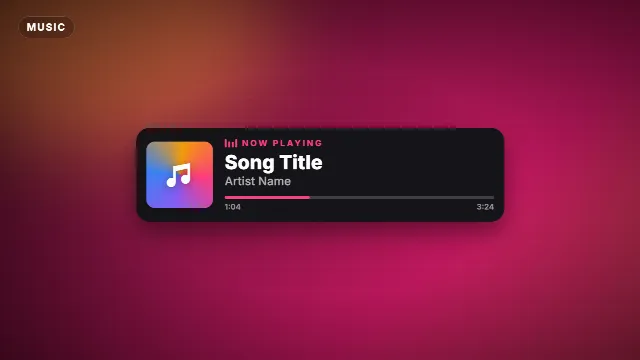
Want the song title without a spectrum? The Now Playing Music Card shows a Spotify style card with cover, title and progress bar, the Vinyl Record Song Title spins a record next to your title, and Karaoke Lyric Lines lights up your lyrics line by line. More in now playing music overlay.
More visualizer templates
Outside Avee Player, the style pages also show templates for After Effects and other apps: phonk, bass boosted, trap and NCS style visualizers, or the full collection of audio visualizer templates.
Frequently asked questions
Edit online
Browse Avee Player templates
Free with a free account, in 16:9, 9:16 or 1:1.
Free .viz visualizers from the community: phonk, bass boosted, trap, NCS and more.
Browse Avee Player templates