
Edit online
Make it in your browser, free
Type your text, download the video. No app needed.
On this page · 5 sections
A Christmas intro gives your December videos a festive start: snow, a present that pops open with your logo, or a handwritten "Merry Christmas". Viewers see right away that this is your holiday special, your Christmas vlog or your end of year video. You don't need After Effects for it. On Velosofy you make it in the browser: type your text, pick your colors and download the video. This guide shows the Christmas templates, which one fits which video, and how to put them in your video in time for the holidays.
The Christmas templates
Gift Box Logo Reveal
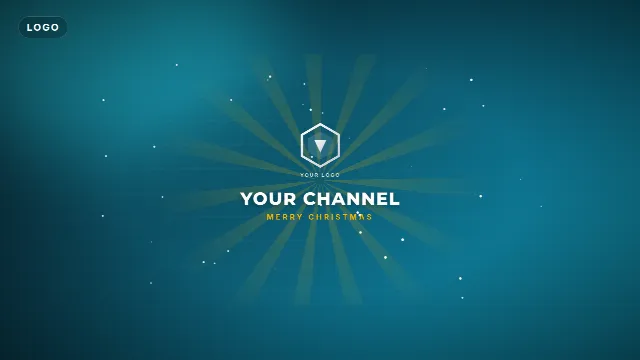
The Gift Box Logo Reveal is a wrapped present that drops in, wiggles twice and pops open. The lid flies off, light bursts out and your logo rises up, followed by your channel name and a small line such as "Merry Christmas". You upload your logo (PNG with a transparent background works best), and pick the color of the box. It runs for 6 seconds, with sound.
Free template
Gift Box Logo Reveal
Merry Christmas Snow Title
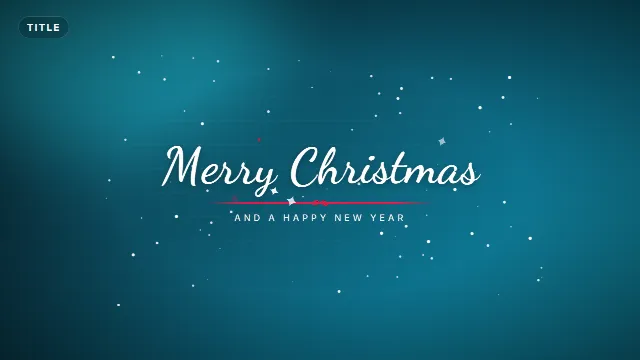
The Merry Christmas Snow Title writes your title in a handwritten script while snow falls. A red ribbon with a bow draws under it and little stars twinkle around the letters. Use it as the opening title, or at the end of a video as a greeting. 6 seconds.
Free template
Merry Christmas Snow Title
Christmas Lower Third
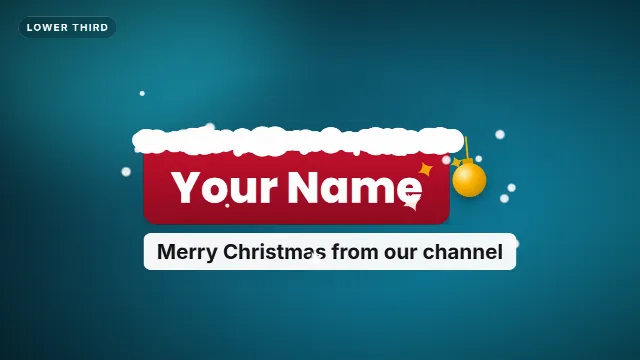
The Christmas Lower Third is a red name plate with a snowy top edge and a gold ornament that swings on its side. Put your name or the name of the guest on it, with a line under it. It slides in at the bottom, left, center or right. See how to make a lower third for where and when to show it.
Free template
Christmas Lower Third
New Year Countdown
The New Year Countdown counts from 10 to 1 in a big glowing ring, with a tick every second and beeps for the last three. At zero fireworks burst and your message pops in. Made for New Year's Eve, but "Countdown to Christmas" with "Merry Christmas!" works just as well. It runs for 14 seconds.

Free template
New Year Countdown
Which one for which video
| Video | Try |
|---|---|
| Channel intro for December | Gift Box Logo Reveal |
| Christmas greeting, opening or closing title | Merry Christmas Snow Title |
| Christmas vlog, interview, family video | Christmas Lower Third |
| New Year's Eve, live stream, countdown to a reveal | New Year Countdown |
Make your Christmas intro step by step
- Open the Gift Box Logo Reveal and go to the editor on its page.
- Upload your logo. A square logo or a wide wordmark both fit, the reveal sizes it for you.
- Type your channel name and the small line, for example "Merry Christmas" or "Happy Holidays".
- Pick the box color and the font, and the animation speed if you want it faster or slower.
- Choose the size: 16:9 for YouTube, 9:16 for Shorts and TikTok, 1:1 for Instagram.
- Create the video. It renders on our server in about a minute, then you download it.
The download is a zip with a transparent -alpha.mov (ProRes 4444), a -greenscreen.mp4 and
the sound effects as a separate WAV. Videos are free to make and download with a free account.
Christmas templates on Velosofy


Put it in your video
In Premiere Pro, DaVinci Resolve and Final Cut Pro, put the
-alpha.mov on a track above your footage. Only the snow, the present and the text show, the rest is
transparent. In CapCut, add the -greenscreen.mp4 as an overlay and remove the green
with Chroma key, see green screen overlays in CapCut.
For a full screen intro, put a dark or red background under it, or a cozy clip of lights or a fireplace.
Tips for a festive video
Keep the intro short
Viewers come for the video, not the intro. Five or six seconds is enough, see intro templates for YouTube for more on length.
Use one color for everything
Pick a red that you use in the gift box, the lower third and your thumbnail. Save it as your brand kit in the editor, it's then filled in for every template.
Start now
People search for Christmas videos from late November. Make your intro early, so your holiday videos are ready when your viewers are looking for them.
Make a vertical version too
Render the same greeting in 9:16 and post it as a Short, a TikTok or a status for your followers. See Shorts intros.
Checklist
- Your logo as a PNG with a transparent background
- A greeting: "Merry Christmas", "Happy Holidays" or your own words
- One red for the box, the lower third and the thumbnail
- 16:9 for YouTube, 9:16 for Shorts and TikTok
- A New Year countdown ready for the last video of the year
Browse all intro templates, logo reveals, or search for Christmas templates.
Frequently asked questions
Edit online
Make your Christmas intro
Free with a free account, in 16:9, 9:16 or 1:1.
Upload your logo, type your greeting and download a gift box reveal with snow and sound.
Edit online for free