
Edit online
Make it in your browser, free
Type your text, download the video. No app needed.
On this page · 6 sections
A gaming intro is the few seconds at the start of your video where your logo and channel name hit the screen. A good one is short, loud and always the same, so viewers know whose video they are watching. On Velosofy you can make one free in the browser: open the Energy Burst Gaming Logo Intro, upload your logo, type your channel name and download the video. No After Effects needed. This guide covers the intro and the gaming graphics that go with it: a gamer tag, a kill alert and an end screen in the same style.
Two intros with your logo
Energy Burst Gaming Logo Intro
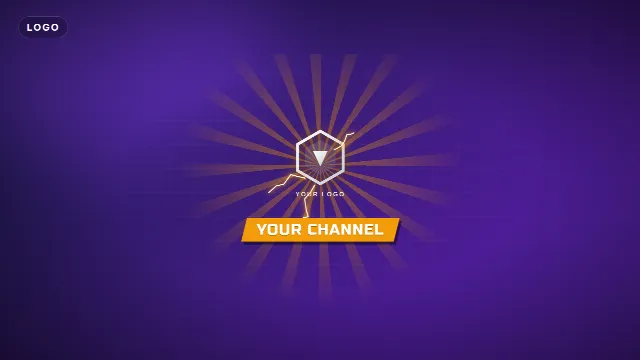
In the Energy Burst Gaming Logo Intro, speed lines charge up an energy core that explodes into light rays and lightning. Your logo slams onto the screen and your channel name (up to 22 characters) appears on a gaming banner. It is 5 seconds long. You pick the accent color, the text color, the font and the speed.
Free template
Energy Burst Gaming Logo Intro
Particle Logo Reveal
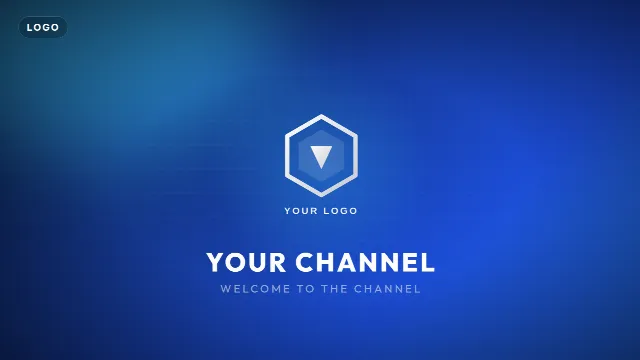
In the Particle Logo Reveal, hundreds of glowing particles swirl in and assemble into the shape of your logo, then your channel name and a tagline fade in. It is calmer, 6 seconds long, and fits strategy, building and story games better than shooters.
Free template
Particle Logo Reveal
Both take a logo upload: a PNG, JPEG or WebP. A PNG with a transparent background looks best. No logo yet? Start with your channel name only, or see how to make a logo reveal for more styles.
Make it in the browser
- Open the Energy Burst Gaming Logo Intro and go to the editor on its page.
- Upload your logo and type your channel name. The live preview updates right away.
- Pick the accent color. Take a color from your logo, so the effects and the logo belong together.
- Choose a font. Blocky fonts such as Russo One, the default, look the most like gaming.
- Choose a size: 16:9 for YouTube, 9:16 for Shorts and TikTok, 1:1 square.
- Create the video. It renders on our server in about a minute.
- Use Save as my brand kit, so your logo, name, color and font are filled in for the next templates.
With a free account you download a zip with a transparent -alpha.mov (ProRes 4444), a
-greenscreen.mp4 and the sound effects, also as a separate WAV. Free videos have a small "Made with
velosofy.com" label, or you can make one without it for one credit. You can use the templates in monetized videos.
The rest of the gaming set
An intro looks best when the rest of the video matches it. With your brand kit saved, these take a minute each:
| Template | What it does | Length |
|---|---|---|
| Gaming Lower Third | An esports name plate with your gamer tag (up to 20 characters) and a tagline such as "Pro player · Streamer", left, center or right | 6 s |
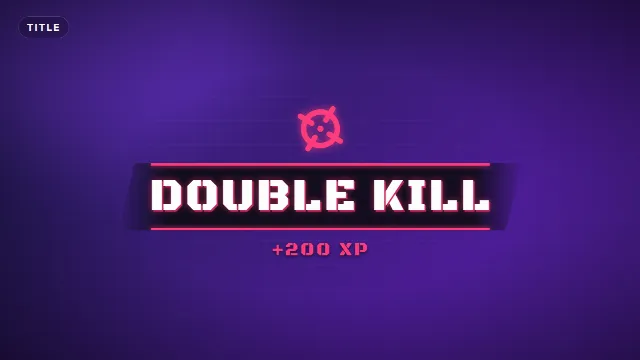
| Gaming Kill Alert | An arcade banner with a crosshair, sparks and big text such as "DOUBLE KILL" with "+200 XP" counting up | 3.5 s |
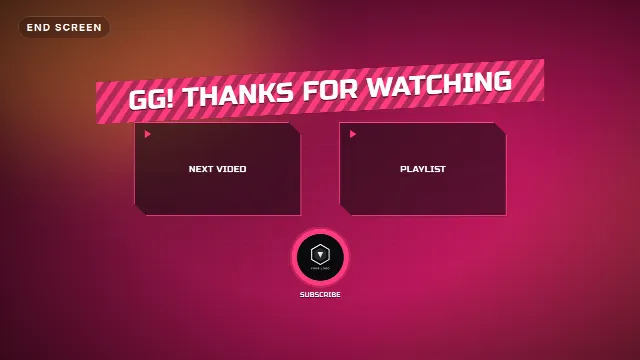
| Gaming End Screen | A striped banner with your logo, two video slots and a pulsing subscribe circle, with "GG! Thanks for watching" | 8 s |
Use the kill alert for big moments: a clutch, a win, a funny fail with "NOT A KILL" in the big text. The end screen leaves room for YouTube's end screen elements, see the end screen guide.
Gaming templates on Velosofy


Add it to your video
- Premiere Pro, DaVinci Resolve, Final Cut Pro: put the
-alpha.movabove your gameplay. The intro can also go on its own at the start. - CapCut and phone apps: add the
-greenscreen.mp4as an overlay and remove the green with a chroma key. - OBS: add the
-alpha.movas a Media Source for a stream intro, see stream overlays in OBS.
Tips for a gaming intro
Short beats flashy
Viewers skip long intros. Five seconds is plenty. Many gaming channels open with a clip of the best moment first, then the intro.
Make the sound fit
The intro has its own hits and whooshes. Turn your music down for those seconds, or use the separate WAV to place the sound exactly on a beat.
Same intro, every video
Recognition comes from repetition. Change the intro once a year at most, and keep the colors the same in your thumbnails and banner, see banner and thumbnail sizes.
Avoid green in your logo color
The overlays also come as green screen files. If your accent is bright green, use the transparent .mov, or pick a different accent, because a chroma key would remove it.
Checklist
- Your logo as a PNG with a transparent background
- An accent color taken from your logo
- An intro under 10 seconds, the same in every video
- A gamer tag, kill alert and end screen in the same style, saved as a brand kit
- Transparent .mov for desktop editors and OBS, green screen .mp4 for phone apps
Browse all intros, logo templates, or search for gaming templates.
Frequently asked questions
Edit online
Make your gaming intro online
Free with a free account, in 16:9, 9:16 or 1:1.
Upload your logo, type your channel name and download a gaming intro with sound.
Edit online for free