
Edit online
Make it in your browser, free
Type your text, download the video. No app needed.
On this page · 9 sections
- 1. What makes a good Christmas greeting video
- 2. Christmas templates to send or post
- 3. Make your greeting video on your phone
- 4. Add your name, a photo and music
- 5. Send it on WhatsApp and post it as your status
- 6. Post it on Instagram Stories, Reels and TikTok
- 7. Then a Happy New Year video
- 8. Tips for a greeting people remember
- 9. Checklist
A Christmas greeting video is the moving version of a Christmas card: a few seconds of snow, sparkle and your own "Merry Christmas" with your name under it. You send it to family on WhatsApp, post it as your status, or share it in your Instagram Stories and on TikTok. You can make one on your phone in a few minutes. On Velosofy you open a template in the browser, type your words and download a vertical video. This guide shows the templates, the right size, how to add your name and music, and how to post it everywhere, plus a Happy New Year version for the week after.
What makes a good Christmas greeting video
- Vertical 9:16. People watch statuses and Stories with the phone upright, so a vertical video fills the screen.
- Short. Five to fifteen seconds is plenty for a greeting. A status or Story plays between many others.
- Personal. Your name, your family or your shop in the video makes it yours, not a forwarded clip.
- Readable without sound. Many people watch quietly, so the greeting should be on screen in big letters.
- One message. "Merry Christmas" now, "Happy New Year" in a second video next week.
Christmas templates to send or post
Every template below is edited in the browser. You type your text, pick colors and download the video in the vertical size, or in 16:9 and 1:1 if you want a YouTube or Instagram feed version too.
Merry Christmas Greeting Card
The Merry Christmas Greeting Card is made for exactly this. Gold and red ornaments drop in on strings, a golden frame draws around the card, "Merry Christmas" writes itself in script, and your wish and your name appear while snow falls. You fill in four lines: the title (up to 28 characters), a second line such as "& Happy New Year" (30), a wish such as "Wishing you joy, peace and love" (48) and who it is from, like "From the Sharma family" or "Love, Grandma" (32). It is 8 seconds long, with bells and sparkles, and has its own background, so it is ready to send as it is.
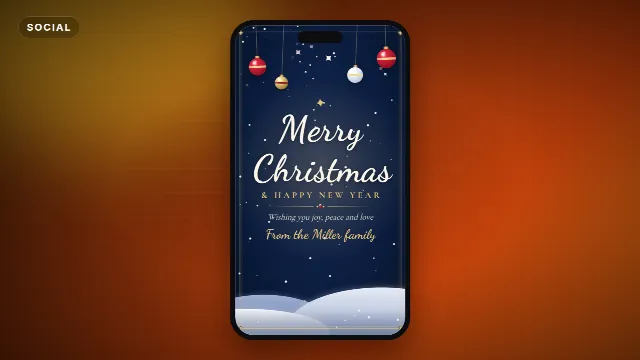
Free template
Merry Christmas Greeting Card
Christmas Countdown
The Christmas Countdown is "24 days until Christmas" as a status: a red glass bauble drops in on a gold string, the number rolls down inside it and lands with gold sparks, then "days until Christmas" writes itself in while snow falls. You type the number of days, the line under it and a small line on top, and pick a night blue, deep red or transparent background. Make one every few days in December, then post your greeting card on the day itself. 7 seconds.
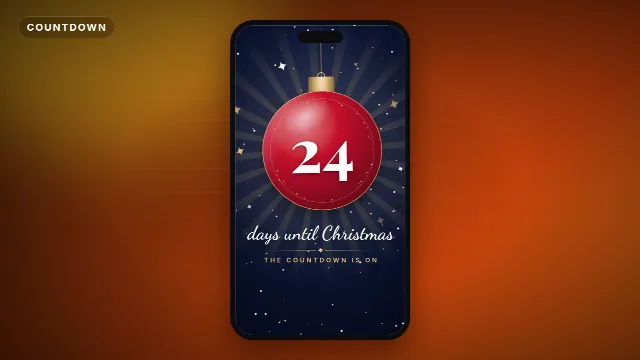
Free template
Christmas Countdown
Merry Christmas Snow Title
The Merry Christmas Snow Title writes your title in a handwritten script while snow falls, with a red ribbon that draws under it. The big title takes up to 28 characters and the small line up to 36, so "Merry Christmas" with "from all of us at Sari Bakery" fits. It is 6 seconds long, with a bell sound you can switch on.
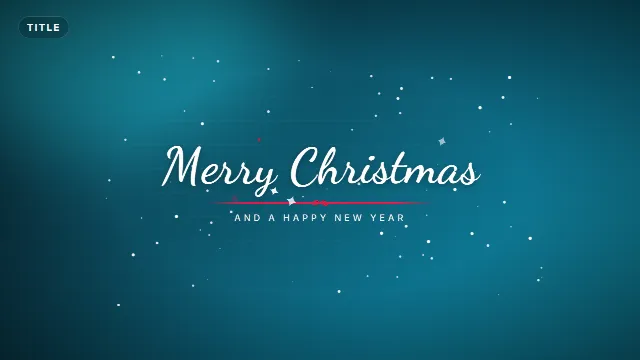
Free template
Merry Christmas Snow Title
Gift Box Logo Reveal
For a shop, a club or a channel, the Gift Box Logo Reveal drops a wrapped present that wiggles and pops open, and your logo rises out of it with a small line such as "Happy Holidays". A nice way to thank your customers or followers at the end of the year.
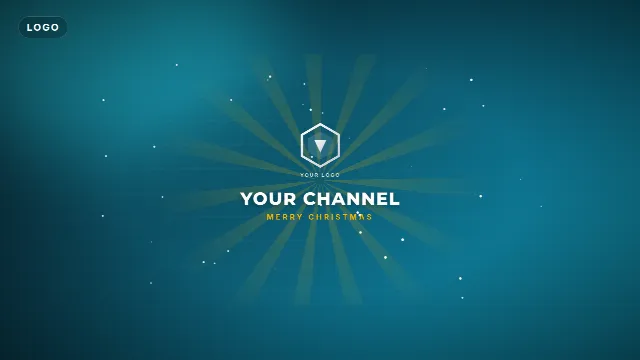
Free template
Gift Box Logo Reveal
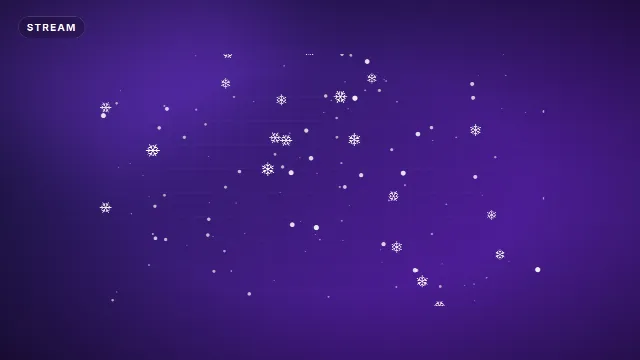
Falling Snow Overlay
Already have a video of the tree, the kids or the dinner table? Put the Falling Snow Overlay on top of it. It loops seamlessly, so it covers a clip of any length, and with the Christmas Lower Third you add a red name plate with your greeting at the bottom.
Free template
Falling Snow Overlay
Which one to pick
| You want to | Try |
|---|---|
| Send a greeting to family and friends | Merry Christmas Greeting Card |
| Post a status on Christmas Eve | Christmas Countdown |
| A classic title with snow | Merry Christmas Snow Title |
| Wish your customers happy holidays | Gift Box Logo Reveal |
| Make your own clip festive | Falling Snow Overlay and the Christmas Lower Third |
| Celebrate New Year's Eve | New Year Countdown and the Fireworks Overlay |
Christmas templates on Velosofy


Make your greeting video on your phone
- Open the Merry Christmas Greeting Card in your phone browser, or browse all templates on Edit online.
- Type your greeting, your wish and your name. The preview updates as you type.
- Pick your colors. Red and gold, or white on deep green, always feel like Christmas.
- Under Size, choose Vertical (9:16).
- Tap Create my video. It is made on our server, which usually takes about a minute.
- Download the video. It is saved to your phone, ready to send.
Videos are free with a free account, and your first video every month has no watermark.
The greeting card has its own background, so you can send it as it is. Overlays such as the snow or the fireworks
are made to go over something: you download them as a green screen .mp4 (and a transparent
.mov for desktop editors), put a photo of your tree or a family picture under them in your editor, and
remove the green with a chroma key, see
green screen overlays in CapCut.
Add your name, a photo and music
Your name
Put it in the template (the From line of the greeting card), not in a caption. A caption is lost when someone forwards the video, the name in the video stays. Keep it short: "from Anna and Tom" reads better than a full sentence.
A photo or a clip
In CapCut, start a 9:16 project with your photo or clip, add the template with Overlay → Add overlay, and remove the green with Cutout → Chroma key. A photo of the family in matching sweaters with snow falling over it is the kind of greeting people save.
Music
Instagram Stories and TikTok let you pick a song when you post, which is the easiest way. For WhatsApp, add the music in CapCut before you export, so it is part of the video. A few seconds of jingle bells or a calm piano version of a carol is enough. If you sell something with the video, use music you are allowed to use, see credit and copyright.
Send it on WhatsApp and post it as your status
As a message
- Open the chat or the family group and tap the attachment button.
- Choose Gallery and pick your video.
- Tap HD at the top if you see it, so the video is sent in better quality.
- Add a short message and send. To send it to many people one by one, use a broadcast list.
As your WhatsApp status
- Go to the Updates tab and tap to add a status.
- Pick the video from your gallery, check the start and end, and send it.
- Watch it once yourself: the text should not be covered by your name at the top or the reply box at the bottom.
A status disappears after 24 hours, so post it on the morning of the 24th or the 25th. More status ideas for festivals and small businesses are in WhatsApp status video templates.
Post it on Instagram Stories, Reels and TikTok
The same vertical video works everywhere. On Instagram, add it as a Story, add a music sticker and tag the people in it. Post it as a Reel too if you want it to stay on your profile. On TikTok and YouTube Shorts, upload it with a Christmas sound and a short caption. Keep the important words in the middle of the frame, the bottom of the screen is covered by captions and buttons, see text overlays for TikTok, Reels and Shorts.
Then a Happy New Year video
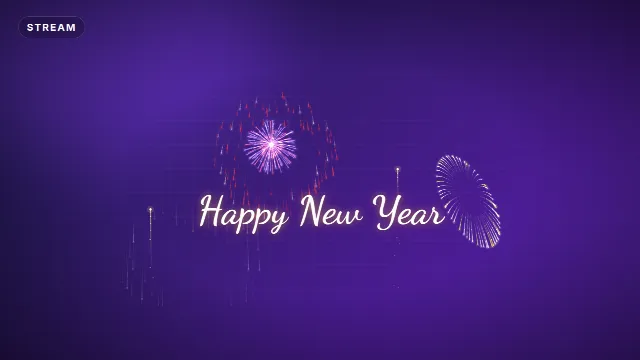
Fireworks Overlay
A week later it is time for the next greeting. The Fireworks Overlay is fireworks on a transparent background: rockets rise and burst in gold, red, pink, blue and purple, with an optional "Happy New Year" (or any text up to 28 characters) in the middle. Choose from a few fireworks up to a grand finale. It loops seamlessly, so put it over a photo of your family, a clip of your evening or the city at midnight, for as long as you like.
Free template
Fireworks Overlay
For the minutes before midnight, the New Year Countdown counts from 10 to 1 in a glowing ring and ends with your message. How to time it so zero lands on midnight is in how to make a New Year countdown video.
Tips for a greeting people remember
- Make it early. Make your video a few days before Christmas, so you are not waiting for a render on the evening itself.
- Strong contrast. White or gold text on a dark red or green background reads on every screen.
- Avoid pure green in the design if you use the green screen file. Green parts disappear with the chroma key. Darker Christmas greens are usually fine, check the preview.
- Make a horizontal version too. For YouTube, render the same greeting in 16:9 or make a full Christmas intro.
- Greet in your language. "Frohe Weihnachten", "Feliz Navidad", "Joyeux Noël" or "Feliz Natal": every text in the templates is yours.
Checklist
- Vertical 9:16 for WhatsApp, Stories, Reels, TikTok and Shorts
- Your greeting and your name in the video
- A photo or a background under the green screen file
- Music added in the app, or in CapCut for WhatsApp
- Posted on the 24th or 25th, a New Year video ready for the 31st
Browse all Christmas and New Year templates, vertical templates or everything you can edit online.
Frequently asked questions
Edit online
Make your Christmas greeting
Free with a free account, in 16:9, 9:16 or 1:1.
Type your greeting and your name, pick vertical 9:16 and download a video to send or post.
Edit online for free